Showing posts with label Cyfiremmerich. Show all posts
Wednesday, August 19, 2020
Chrome is Becoming a Real OS
By Cyfir (Cyfiremmerich)
A couple of months ago, I came to realize that I needed something better than my old crappy HP laptop. I had gotten the laptop as a hand-me-down because the previous owner ended up with viruses and didn’t want to deal with it anymore. This was fine as I knew how to erase the hard drive and install Linux and even a new copy of Windows. However, there was something that I couldn’t fix, even with the extra RAM that I installed in it. The laptop’s CPU was just way too underpowered. It was just way too slow and cumbersome for even what I wanted to use it for, that being a computer that I could use while sitting on the couch in front of the TV. I wanted something snappier and thus more enjoyable to use.
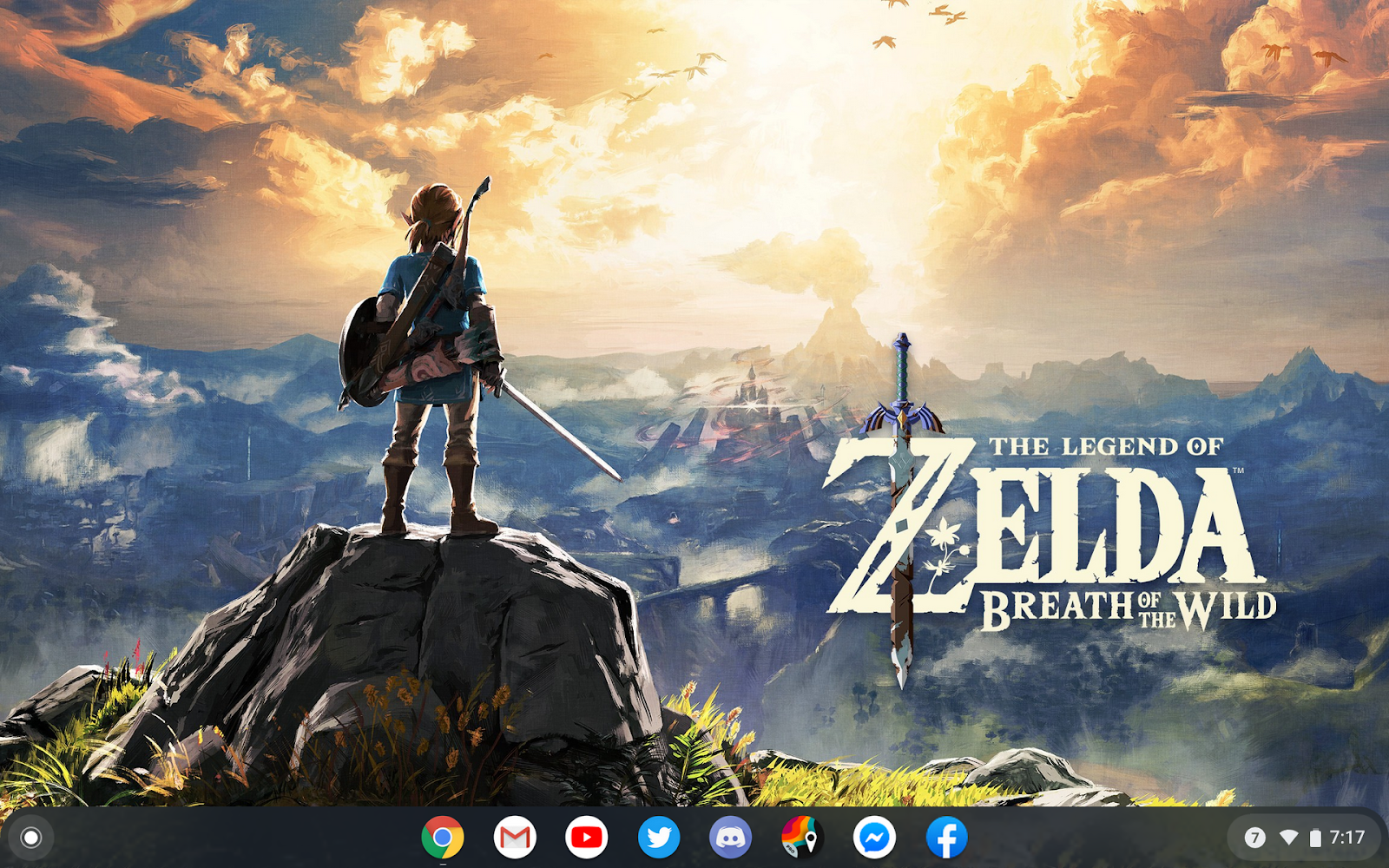
The problem was I was on a very tight budget. I thought about getting an android tablet but then I thought about all the other android tablets that I’ve had over the years and how underpowered they all were. It was then that I was suggested a Chromebook by Game Wylder. Android tablets have been sort of dead in the water for a while aside for underpowered Amazon and Kindle tablets. Apparently, Chrome OS is now where it’s at. I was suggested the Lenovo Chromebook Duo and since it was at my price point and had very positive reviews I decided to go ahead and buy one.
I had not had much experience with Chromebooks aside from the ones that I have to use at work to clock in and check my emails. My experiences with Chrome OS up until that point had not been great. I just thought that it was way too limited to be a real OS. I just figured that it was just a browser. While this may have been true in the past, Chrome OS has since gotten Android app support and a beta version of Linux, which means that you can install applications on it. Steam support could also be available in the near future for more gaming options. There’s still no official way to run a full Second Life browser in Chrome OS, but I was able to hack my way around and side-load a version of the now unsupported Lumiya thanks to some help from Tantari. I don’t foresee myself using it much but it’s there in case of emergency or something.
As for my new Chromebook itself, I’m not disappointed. It’s just as snappy as my main PC when it comes to mundane tasks, transitions seamlessly between laptop and tablet mode, and does everything that I need it to. The keyboard and trackpad are surprisingly usable. I’m even writing this article on it while watching YouTube on my TV. If you need a second computer, I would highly recommend a Chromebook or Chrome OS.
Cyfir
Wednesday, March 18, 2020
How To Second Life : A Guide For Those Who Are New - Part Two
By Cyfir (Cyfiremmerich)
In part one of this guide, I focused on getting started and taking your first steps in Second Life. In this part, I’ll focus on more advanced features. Before that, though, reader Cynthia Farshore recommended the Caledon Oxbridge University which is an educational center for new and/or young Second Life residents. This place can be found here, Caledon Oxbridge (93/194/27). Once you teleport there, just follow the numbered path and begin reading the signs. This place goes much more in depth than I could with a series of articles and is a valuable resource.
Now that you’re fairly familiar with the basics of Second Life, I’ll share some more advanced features you can take advantage of in Firestorm. First, assuming that you’re over the age of 18, you can choose to make more Adult locations visible in search (which we will touch on in a moment). Click ‘Avatar’ in the top left corner of Firestorm and then click ‘Preferences’ from the resulting drop down menu. In the general tab, where it says ‘I want to access content rated:’ you can change this to whatever you want. By default, adult locations are filtered out. In the same General tab, you can also set up your ‘start location.’ You can set this to be the area you designated as your home (World/Set Home To Here) or your last location and you can check the box that says ‘Show on login’ which will automatically show you the location you set when you are first logging in. From this same tab, you can also set up how you want name tags to be displayed and what you want the browser to do when you are away. You may have noticed that my menu buttons are purple. You can set up different colors for your browser in the ‘Custom Colors’ tab.
You don’t have to touch the graphics tab. In fact, your browser should automatically set everything to what your computer can handle efficiently. However, I customized mine to show a little more detail just for the sake of having things look better. I used to get better performance with these settings when I was running Windows 7 with the same hardware. Now I’m lucky if I reach 60 FPS on Windows 10.
In the ‘Move and View’ tab, you’re going to want to click the checkbox that says ‘Disable camera constraints.’ Now hold Alt on your keyboard and click anywhere in the world while moving your mouse around. Check the box that also says ‘Allow the camera to move without constraints through prims’ and the box that says ‘Disable minimum camera zoom distance.’ You now are able to zoom all the way out and see everything there is to see. Holding Ctrl+Alt and clicking while dragging the mouse lets you pan around any fixed point.
In the privacy tab, click the ‘LookAt’ sub tab and if you don’t want others to see what you’re looking at, check ‘Don’t send my look at targets to others’ and ‘Don’t send any lookat targets at all, not even to myself’ for good measure. If you don’t want people to constantly see what you’re editing in world check ‘Don’t send my selection target hints.’
One of the most important tabs is the Backup tab. Click this tab and select the assets that you want to save and back them up. You never know when you may have to reinstall Firestorm only to find that all your settings are now wiped.
Now, to search for any person or place just simply type Ctrl+F to bring up ‘Firestorm Search.’ Here you’ll find different tabs to search for resident names (People), Groups, Places, Events, and Classified ads. This is one of the most valuable resources in Second Life and will help you find communities based on interests of yours. For instance, if you’re in to Star Trek, type Star Trek in the ‘Places’ search tab and you’ll be presented with a list of sims to choose from and teleport to to check out.
Before you go hopping around though, a word on trolls/griefers: Whatever you do, do not feed them. Do not give them a reaction. Do not talk to them. Do not even acknowledge their existence in your space. There are bad actors in Second Life who just want to have fun at the expense of others. If they are bothering you, click the region information in the top center portion of your Firestorm browser. This should bring up the ‘About Land’ menu which should tell you who owns the region. Inform them of the troll and move on with your day. If they are really bothering you, following you, making threats or anything of the sort. You can report them directly to Linden Lab. The easiest way to do this is to right click on their avatar, and click View Profile. At the bottom right corner of the profile window there should be a button with a gear on it. Click that and then click ‘Report’ from the resulting drop down menu. Now click Block in the bottom right hand corner of their same profile window. They should now be a harmless orange cloud.
In part 3, I will be focusing on land and setting up your first home. What else should I focus on in future installments? Sound off in the comments below!
Cyfir
Labels:
advice,
Caledon,
COU,
Cyfir,
Cyfiremmerich,
Extra,
griefers,
help,
hints,
learning,
new,
newcomer,
Preferences,
Search,
Second Life,
SecondLife,
SL,
trolls
Wednesday, March 11, 2020
How To Second Life : A Guide For Those Who Are New - Part One
By Cyfir
Counting my older account that I lost the password to, I’ve been in Second life for over eight years. In that time, I’ve learned from many people on how to use Second Life. I’ve done everything from a sim janitor (picking up spare objects that people have lost) to a sim co-owner. However, if there’s one major thing that I’ve learned it’s that there is a major learning curve and thus a sizable barrier to entry into Second Life. I’m hoping that this article will be useful to those who are thinking about joining Second Life, are new, or know someone that is thinking about joining. It’s really not that difficult to learn, and once you get it down, you will take it all for granted.
The first thing that you will obviously want to do is create an account. You will do this at http://www.secondlife.com Click on the ‘Sign Up’ or ‘Join Free’ button and from there you will enter in all your information, choose your username, and begin to choose your first base avatar. Don’t worry because there are near infinite possibilities on how you can customize this later.
Now here’s the important step. Do yourself a favor and skip the download of the official browser. You’ll want to download the third party client called Firestorm instead. It can be found here (https://www.firestormviewer.org). It is much more capable than the official browser and most people you will run into will be using it so they can help you better if you run into any issues. Once you have Firestorm installed you can go ahead and launch it and enter in your new account information. Your new account’s avatar will likely be plopped in the middle of an info hub. I would recommend walking through this and reading all the signs to get acquainted with basic movements and such. The rest of this article assumes that you went through with that.
One of the main issues that I had when I first joined Second Life was that I didn’t know how to open items that I received in my inventory. I don’t remember there being any infohubs telling me how to do so back then. When you receive an item, your inventory window should automatically pop up for you. To get back to the inventory menu, all you have to do is click on Avatar in the top left corner of Firestorm and then click Inventory from the drop-down. Alternatively, you can type CTRL and I at the same time to bring it up or clicking the button for it in the Toolbar down at the bottom (should look like a briefcase). From here, you can click on and drag the item to the ground or right click on and attach the item from the resulting drop down menu if it’s a hud that provides the object. However, don’t just go trying to drop items from your inventory anywhere. You need to go to a place where you have permissions or “rez rights.”
Usually, you can drop (“rez”) items at sandboxes. One sandbox that I would recommend to those who are new is Curious Sandbox (Curious 20/19/23). This also happens to be where you can find a free feline avatar called the Felis to get you started. Assuming that you’re a furry, this is a perfect starter avatar. To obtain the avatar, find the rotating box below where it says ‘Felis’ on the wall. This particular avatar is not boxed, making it easier for those who are new to wear, but if you did need to ‘unpack’ it, you would go to the sandbox area (the big empty space) and drag the box to the ground. Once you see the box appear on the ground, you would right click on the box and then click ‘Open’ from the resulting drop down menu. The items should then appear in your inventory in their own folder.
If you want to wear the contents of the folder, the easiest way is to take out any parts that you may not need such as alternative ears (pierced ears or none-pierced for instance) or male and female shapes depending on which gender you want to be. Then right click on the root of the folder (the very top of where the folder starts in your inventory where the name of the folder is) and then click ‘Replace Current Outfit’ from the resulting dropdown menu. To save this outfit, you’ll want to click on Avatar at the top right of the browser window and then click Appearance from the resulting dropdown menu. In the appearance window, click ‘Save As’ and name the outfit. You may have noticed a sign when you arrived at the Curious Sandbox that tells you that you may not be able to enter the sandbox without payment info on file. One of the reasons why I chose this particular sandbox is because this is a perfect opportunity for you to become familiar with your Second Life account. If you haven’t already done so, you’ll want to have payment information on file. While you can enjoy Second Life for free, you’ll really want to buy Linden Dollars (the platform’s virtual currency) in order to buy things that you’ll need. This is especially true when you’re new because you’re going to have trouble finding a Second Life “job.” Most clubs and other places do not hire accounts under a certain age because they want to make sure that their staff know how to use Second Life. That will come in time and before long you may find that you no longer need to hand over real money to buy things in Second Life.
To add payment information, you’ll want to go back to secondlife.com. Once you log in to your account there, click on ‘Account’ in the left hand menu and then click on ‘Billing Information.’ From here, you can add a payment method (such as a debit or credit card or paypal account). You can buy Linden Dollar at any time by clicking the ‘Buy L$’ button near the top right of the Firestorm browser. Simply enter in the amount of ‘L$’ that you need and click ‘Buy Now’ but be careful because it takes a second for things to update as you type them since it has to calculate how much it will charge you for the L$. You don’t want to accidentally buy 50000000L and end up overdrawing your checking account! Now buy yourself a better avatar on the MarketPlace. You deserve it.In Part 2 of this series, I will be focusing on some more basics of how to use Second Life as well as some more advanced features you can use. If by chance you have any suggestions for what to include in future installments, please feel free to comment or message me.
Cyfir
Labels:
account,
advice,
Cyfir,
Cyfiremmerich,
Extra,
help,
hints,
inventory,
learning,
new,
newcomer,
Second Life,
SecondLife,
SL,
Viewer
Wednesday, November 20, 2019
Commentary: Second Life Is Dead, Long Live Second Life
By Cyfir (Cyfiremmerich)
Over the past two years, I’ve struggled to honestly see the point of Second Life, but for some reason I keep logging in and stay logged in. I believe that mostly has to do with me now owning a store (as well as being in a long distance relationship). I’ve always looked at Second Life as a social platform, and as I’ve witnessed the social aspects of Second Life dwindle, I’ve equated that to Second Life dying out. I mean, it would make sense. Social networks come and go. Since the Internet’s inception, the popularity of platforms seem to dwindle over time in favor of new platforms.
This begs the question then of why people still log in. Sims sit empty while Linden Labs collects on the rent. Clubs seem to pop up overnight just to go away a few months later. There doesn’t seem to be a point in trying to build a social space anymore unless you’re already established and have the equity to ride things out. But I believe that everything has shifted to creation rather than it being a social platform. Even though the bulk of my sales are on Marketplace and I just view my in-world stores as advertising, people still line up in droves outside of big shopping events like the Gacha Guild.
You see, Second Life has something that many social platforms don’t have and that’s a near boundless ability for talented creators to create and have others enjoy their creations. This is why it has survived this long. The Marketplace is still popular and the viewer itself has become just a way for many people to enjoy those creations and to create things for themselves and others.
Cyfir
Wednesday, September 18, 2019
Goodbye Premium
By Cyfir (Cyfiremmerich)
After years of being a premium Second Life member (over half a decade), I’ve decided to downgrade and at the end of December I will no longer be able to enjoy the “premium” perks that this service offers. So why did I do it? There are actually multiple reasons. Back when I first started paying for premium membership, things were different in my life. I was a sim co-owner. I was logging on every day to manage a community. I had a group of friends in said community that I hung out with on a daily basis. I was just more invested in the platform. Even when that community left Second Life, I rather quickly found myself in a new community that I could call home and became more and more involved in that community as a leader.
All good things must end however and I ended up leaving that community for personal reasons. This time, I didn’t find a new community or place to call home. For the past year, Second Life to me has been a largely quiet place for me. I spend most of my time in a rented parcel, admittedly jaded from my past experiences in Second Life communities and not believing things would be different if I started over somewhere else. I came to realize that the major driver behind why I loved Second Life so much was the community and social interaction, and I don’t get that anymore.
So when the bill for my premium membership came around this month, I took a hard look at it. For one, I don't remember it being so expensive. Over thirty dollars a quarter means over $100 a year. Even though there had been news of Second Life switching up their pricing, I had largely ignored it until now. However, this time I took a good long look at just exactly what I was getting for my money. One of the premium perks which Second Life touts with their premium membership offer is their Second Life homes. I rarely use mine and prefer to rent a place on a less laggy sim. Another perk is the ability to set your home location to anywhere, which really doesn’t matter to me because I know how to use the places menu in Firestorm. Another perk that I might miss out on is the weekly stipend, which is 300L per week. In actuality, this does help to cover costs with rent and gives me some extra L to do what I want with, but is it worth over $100 a year? No. One of the features that I’ll lose that may end up biting me in the butt later is the ability to gain priority in to teleporting in to nearly full sims during major events, but does this matter to me enough to pay for premium? Again, no. What about prioritized account support if something were to go wrong or if I was wrongfully banned? I couldn’t for the life of me figure out how to contact customer support at one point and gave up. It’s extremely hidden. I also didn’t own any land aside from my Second Life home. The other perks are just inconsequential at best. So then why am I paying for the service?
There just isn’t any major reason for myself to justify the premium membership. It’s probably still a good idea for those who own land (you need the service to do so after all) or otherwise run a community, but to the average user there is just no justification to pay over $100 a year for a trickle of features that really don’t matter. You can rent a parcel for fairly cheap and buy Lindens when you need it and end up spending less than $100 a year if you’re careful.
Cyfir
Labels:
account,
Cyfir,
Cyfiremmerich,
downgrade,
Extra,
farewell,
goodbye,
premium,
renewal,
Second Life,
SecondLife,
SL
Friday, July 19, 2019
Blau Rascon and The Second Life Avatar Index
By Cyfir (cyfiremmerich Resident)
Blau Rascon currently maintains the Second Life Avatar Index and works at Kinzart Kreetures. I recently had a chance to interview him- regarding the Avatar Index as well as KZK. The Avatar Index can be found here:
https://theavatarindex.wordpress.com
----
Cyfir: What inspired you to create The Second Life Avatar Index?
Blau Rascon: From mid-2011 through early 2013, I was a writer at a similar site called Second Life Avatar Review Files (SLARF). I loved writing for SLARF, but when I was brought on at KZK, we decided that it would be better if I retired from writing there to help avoid any conflicts of interest. I stayed on as a senior staff member, but the site got quiet not long after. SLARF is now inactive, and currently only available to visit through the Wayback Machine. I was pretty bummed to see that - it was a really good resource, and I had hoped it would go on for longer.I put out a poll last September to see how the community would feel about me starting a similar site, and the response was very much in favor. The first three entries were published on September 25th. It feels good to be writing again!
Cyfir: Can you tell those who don't know what the site is about?
Blau Rascon: The Second Life Avatar Index is a website dedicated to cataloging avatars - primarily, but not exclusively, anthropomorphic / "furry" avatars. The goal is to have a place where people can come and browse avatars, discover new creators, or share entries with friends.
Given that I currently work for an avatar company and know that there are some who would be uncomfortable with a competitor's employee writing reviews of their avatars, I don't write traditional reviews; rather, I present data points about an avatar, in an effort to be as neutral as possible in my writing.
Entries include a text section describing the avatar's features and details, a gallery section including turnaround images, HUD images, and an imgur album of detail shots and GIFs of animations, and a video including a 360 turnaround and a demonstration of an avatar's functions and features, if applicable.
Cyfir: How has it been received by the community?
Blau Rascon: So far, the feedback has been pretty positive! I've gotten some IMs from folks that were pleasantly surprised to see their works on the Index, which always makes my day.
Cyfir: What are your plans for the site in the future?
Blau Rascon: I plan to move the site to its own host in the semi-near future, which would allow me to do some more neat things with plugins that I can't currently do while hosted on Wordpress. One of the ideas I had was to make a calendar and allow avatar creators to add events like release parties to it, and I'd like to see if that could work someday.
Many people would like to see mod parts / modkits on the Index - I'd love to add them in, but for now, I'd like to keep the site focused on full avatars. There is definitely an interest there, though, so I'll be revisiting the idea when I can!
Cyfir : You also work at Kinzart Kreetures. Can you tell us what you do there?
Blau Rascon: I do a little bit of everything - beta testing, troubleshooting, moderating, demoing, keeping things organized, and so on.
Kat is often not logged in to SL while working to keep himself focused, so I help handle most in-world things while he's unavailable.
Cyfir: Is there any upcoming news you would like to share from KZK?
Blau Rascon: There have been some long delays due to in real-life events, but we're working on finishing up the bug-fixing and preorder bonuses for the Direwolf hybrid avatar we released a few months ago. No set dates for these, but we're doing our best to get them out soon.
As thanks to our community for sticking by us through these rough times, we're doing a pretty neat project. Together with the community, we're designing an original anthro avatar that will be given away for free. We're doing several phases of polls to determine the details. The species basis is still being narrowed down, but as of writing this, the species will be a hybrid of "Eastern Dragon" and "Canid - Misc / Extinct". There will be more polls coming to determine things like whether or not it'll have wings, what kind of tail, what kind of legs, and so on. I'm excited to see what will happen!
If folks would like to keep up with the project or participate in the polls, they can join our in-world groups or our Discord.
Cyfir: Is there anything else you would like to share with the Second Life community?
Blau Rascon: I'd like to tell folks - keep making cool stuff! And even if you think you can't draw, or model, or mod, don't be afraid to try. You can learn a lot just from tinkering!
And something more personal, drawing from recent family events - please consider donating blood and/or bone marrow if you are able to. There are many people that need the help!
----
I personally think that the Avatar Index is a great resource for those wanting to browse different avatar options and I’m looking forward to seeing what the free avatar will be like from KZK!
Cyfir
Labels:
avatar,
Blau Rascon,
Cyfir,
Cyfiremmerich,
Extra,
index,
Kenzart Kreetures,
KZK,
review,
Second Life,
SecondLife,
SL,
SLARF
Subscribe to:
Posts (Atom)