Friday, November 29, 2024
Reader Submitted: Letter to The Editor - The Death of SL
Monday, December 20, 2021
Fifteen Years Later
Bixyl Shuftan
Normally, I pay more attention to when my virtual career as an online
journalist began. But this month marked a certain
milestone: the anniversary of when I came into Second Life, or
"Rezzday." It was fifteen years ago when I first stepped into Second Life.
I had gotten my start into going online with America Online, and stuck
with them for a long time, partially because of the easy to remember
email address I had. This meant that I was stuck with dial-up. Some
online friends were starting to talk about online gaming, notably "World
of Warcraft." But one mentioned a place known as Second Life, a virtual
world that allowed one to build all kinds of places there. And also to
design one's own avatar. My friend would show me the screenshots of
their avatar: an anthro lioness whom was dressed up in everything from a
Victorian dress to a harem girl outfit.
Finally I signed up with a fast speed service that allowed me to keep my
existing email address. I could finally check out the two places my
friends were talking about so much. In World of Warcraft, I joined two
friends there with Horde accounts, setting up a Tauren druid. But I also
decided to give Second Life a try. So on December 17, 2006, I went to
secondlife.com, downloaded the client software for the computer I had,
then set up an account.
Two
decisions I had were the name and the starting appearance. Thinking a
bit, I remembered a favorite character from the roleplaying games I did
with real-life friends: Bixyl. "Shuftan" was close to the old
character's last name, so that's what I used. As for appearance, there
were several styles of clothes and hair style and color among several
human avatars, and one non-human avatar: the "Furry." As a
science-fiction nut, I close the latter.
And with that, I turned the viewer on, pressed the button to log in, and
what I saw was a sea of gray and shapes. As the seconds ticked on, the
shapes gradually took form and slowly went from grey to color. My avatar
took shape before me, and I saw I was on a piece of land with grass,
trees, and signs and walkways. The sign near me had blurry words for a
while, but after some moments they became clear, "Welcome to Orientation
Island," with an arrow showing which way to proceed. Taking a look at
the controls, I found those for movement, then for sound and music. The
music button when pressed, I began hearing smooth gentle background
music, as if in an elevator, with the occasional line, "If you open up
your mind, you can build a whole new wor-ld."
A couple days later, my friend and I chatted briefly in an AOL chatroom and we decided to meet up inworld. After I logged in, she Instant-messaged me there, and explaining what a teleport request was, sent me one. Meeting up, she explained a few things and showed me more pictures of scenes acrosss Second Life, the most memorable was of a prank a busty girl played on a guy whom was slouched forward from being away-from-keyboard. She also gave me a thousand Linden dollars to get another avatar later on, "It's no big deal getting a buddy a four dollar cheeseburger in real life." Among the things she herself was proud of was finding a niche in the Second Life clothing market, Victorian dresses, and being able to take full advantage of it. She was making the equivalent of several hundred real dollars a year, after virtual land rental and other expenses. Not enough to quit her day job, but a nice little bonus.
Soon after, my friend would tell me she'd gotten a position of leadership in her home community. So that meant less time for us to chat. I didn't know anyone else here, and my friends in World of Warcraft had no such distractions. So for a few months I didn't get on Second Life much, having fun with my friends in the Massive Multiplayer Online Game. The objectives there were more easily defined, and my friends there were often around to chat with and often meet up with for questing together.
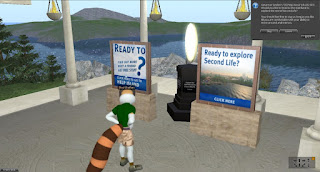
So what would have better kept my attention here in these early days?
More friends for one. But I wasn't sure what to do as random exploring
was just showing garishly-decorated residential areas. If I had done an
Internet search for Second Life websites, it hadn't resulted in anything
at the time. There was no Destination Guide of interesting places.
Hamlet Au would later invite readers to give their own newcomer
experiences (here).
Several months later, my Second Life friend would get my attention
again. The Relay for Life was having their "Relay Walk" with lots of
things to see. So I went over, and was impressed with the exhibits I was
seeing. I think I saw some of the enthusiasm for the event as well.
My interest once again piqued, I began to look up more about the virtual
world after the Relay Weekend was over. I found out about Luskwood, and
headed there. The place being a bustling area of people after many sims
of little but quiet, it took me a little time to get the gist of how
people interacted. But it became my first real hangout in the virtual
world, hearing about other places to explore.
Although I had gotten a bushier tail, I was still wearing the starter
avatar. Not having a steady income in Second Life, and not wanting to
put money in yet, I felt I had to be careful, feeling what I chose would
be my appearance for a long time. After a great deal of thought, I
settled on the Luskwood Red Fox as my appearance, buying the avatar at
Luskwood.
After having had the starter furry for months, it felt like I had
finally shed my "baby fur." The Lusk Fox would remain my everyday look until recently, despite
suggestions over the years that I get a more recently made one. I've
sometimes commented, "several weeks of thought, several years of use."
In October, I caught a lucky break, winning several thousand Linden
dollars at a Luskwood anniversary party. With this windfall, I got a
second avatar for Halloween: vampire bat. It was fun flying around, but
after a while it was back to foxy.
Meeting up with people at Luskwood, I made friends as Lomgren Smalls,
Caelia Bailey, Hervy, and Kara Nakamori. Lomgren and Caelia, the latter
under another name, I would stay friends with to this day. Kara and I
would become close friends for the next several months. She would
introduce me to another group of friends, notably Blarion and Keli, whom
hung around at a less populated, and less laggy place: the Student
Travel Association sims, or STA. My adventures with Kara can be read
about in their own article written in March 2011.
Looking up websites about Second Life, I eventually came across the
Second Life Newspaper. They asked for Reader Submissions, and giving
them a few, I was offered a job there. I was thrilled and happy. I now
had a steady income doing something I liked, writing, and an office as
well.
So one year later, December 2007, I was doing pretty good. I had a
circle of friends, a steady income, and a couple places to hang out.
Life, or in this case virtual life, was good.
Since then, quite a bit has happened. Much of it has been documented in
my stories for the Second Life. I would end up living or hanging out a few communities before ending up at the Sunweavers in Spring 2010, and a few months later going from writing for the Second Life Newspaper to Second Life Newser. Some things however have been given little or no
attention in my writings. Sometimes I go about exploring, and other times I'm just relaxing with friends. I've met many new friends. Sadly, I've had to say goodbye to a number. Such is life, virtual and otherwise.
People come here for different reasons, to see the creations others have
made, to roleplay in a way simple tabletop gaming doesn't allow, for
music and art, to interact with other creative souls like themselves,
and more. The result has been a virtual world unlike any other place
online. While some individuals have had their time here and departed,
others have been coming here to take their place. Perhaps the day-old
newcomer you come across today will a year later be a highly successful
fashionista, live musician, Relay for Life team leader, or maybe online
journalist.
It's your, and my, Second Life. Let's make the most of each of ours.
"If you open up your mind, you can build a whole new wor-ld."
Reprinted (mostly) from 2015 article
Bixyl Shuftan
Wednesday, March 18, 2020
How To Second Life : A Guide For Those Who Are New - Part Two
By Cyfir (Cyfiremmerich)
In part one of this guide, I focused on getting started and taking your first steps in Second Life. In this part, I’ll focus on more advanced features. Before that, though, reader Cynthia Farshore recommended the Caledon Oxbridge University which is an educational center for new and/or young Second Life residents. This place can be found here, Caledon Oxbridge (93/194/27). Once you teleport there, just follow the numbered path and begin reading the signs. This place goes much more in depth than I could with a series of articles and is a valuable resource.
Now that you’re fairly familiar with the basics of Second Life, I’ll share some more advanced features you can take advantage of in Firestorm. First, assuming that you’re over the age of 18, you can choose to make more Adult locations visible in search (which we will touch on in a moment). Click ‘Avatar’ in the top left corner of Firestorm and then click ‘Preferences’ from the resulting drop down menu. In the general tab, where it says ‘I want to access content rated:’ you can change this to whatever you want. By default, adult locations are filtered out. In the same General tab, you can also set up your ‘start location.’ You can set this to be the area you designated as your home (World/Set Home To Here) or your last location and you can check the box that says ‘Show on login’ which will automatically show you the location you set when you are first logging in. From this same tab, you can also set up how you want name tags to be displayed and what you want the browser to do when you are away. You may have noticed that my menu buttons are purple. You can set up different colors for your browser in the ‘Custom Colors’ tab.
You don’t have to touch the graphics tab. In fact, your browser should automatically set everything to what your computer can handle efficiently. However, I customized mine to show a little more detail just for the sake of having things look better. I used to get better performance with these settings when I was running Windows 7 with the same hardware. Now I’m lucky if I reach 60 FPS on Windows 10.
In the ‘Move and View’ tab, you’re going to want to click the checkbox that says ‘Disable camera constraints.’ Now hold Alt on your keyboard and click anywhere in the world while moving your mouse around. Check the box that also says ‘Allow the camera to move without constraints through prims’ and the box that says ‘Disable minimum camera zoom distance.’ You now are able to zoom all the way out and see everything there is to see. Holding Ctrl+Alt and clicking while dragging the mouse lets you pan around any fixed point.
In the privacy tab, click the ‘LookAt’ sub tab and if you don’t want others to see what you’re looking at, check ‘Don’t send my look at targets to others’ and ‘Don’t send any lookat targets at all, not even to myself’ for good measure. If you don’t want people to constantly see what you’re editing in world check ‘Don’t send my selection target hints.’
One of the most important tabs is the Backup tab. Click this tab and select the assets that you want to save and back them up. You never know when you may have to reinstall Firestorm only to find that all your settings are now wiped.
Now, to search for any person or place just simply type Ctrl+F to bring up ‘Firestorm Search.’ Here you’ll find different tabs to search for resident names (People), Groups, Places, Events, and Classified ads. This is one of the most valuable resources in Second Life and will help you find communities based on interests of yours. For instance, if you’re in to Star Trek, type Star Trek in the ‘Places’ search tab and you’ll be presented with a list of sims to choose from and teleport to to check out.
Before you go hopping around though, a word on trolls/griefers: Whatever you do, do not feed them. Do not give them a reaction. Do not talk to them. Do not even acknowledge their existence in your space. There are bad actors in Second Life who just want to have fun at the expense of others. If they are bothering you, click the region information in the top center portion of your Firestorm browser. This should bring up the ‘About Land’ menu which should tell you who owns the region. Inform them of the troll and move on with your day. If they are really bothering you, following you, making threats or anything of the sort. You can report them directly to Linden Lab. The easiest way to do this is to right click on their avatar, and click View Profile. At the bottom right corner of the profile window there should be a button with a gear on it. Click that and then click ‘Report’ from the resulting drop down menu. Now click Block in the bottom right hand corner of their same profile window. They should now be a harmless orange cloud.
In part 3, I will be focusing on land and setting up your first home. What else should I focus on in future installments? Sound off in the comments below!
Cyfir
Wednesday, March 11, 2020
How To Second Life : A Guide For Those Who Are New - Part One
By Cyfir
Counting my older account that I lost the password to, I’ve been in Second life for over eight years. In that time, I’ve learned from many people on how to use Second Life. I’ve done everything from a sim janitor (picking up spare objects that people have lost) to a sim co-owner. However, if there’s one major thing that I’ve learned it’s that there is a major learning curve and thus a sizable barrier to entry into Second Life. I’m hoping that this article will be useful to those who are thinking about joining Second Life, are new, or know someone that is thinking about joining. It’s really not that difficult to learn, and once you get it down, you will take it all for granted.
The first thing that you will obviously want to do is create an account. You will do this at http://www.secondlife.com Click on the ‘Sign Up’ or ‘Join Free’ button and from there you will enter in all your information, choose your username, and begin to choose your first base avatar. Don’t worry because there are near infinite possibilities on how you can customize this later.
Now here’s the important step. Do yourself a favor and skip the download of the official browser. You’ll want to download the third party client called Firestorm instead. It can be found here (https://www.firestormviewer.org). It is much more capable than the official browser and most people you will run into will be using it so they can help you better if you run into any issues. Once you have Firestorm installed you can go ahead and launch it and enter in your new account information. Your new account’s avatar will likely be plopped in the middle of an info hub. I would recommend walking through this and reading all the signs to get acquainted with basic movements and such. The rest of this article assumes that you went through with that.
One of the main issues that I had when I first joined Second Life was that I didn’t know how to open items that I received in my inventory. I don’t remember there being any infohubs telling me how to do so back then. When you receive an item, your inventory window should automatically pop up for you. To get back to the inventory menu, all you have to do is click on Avatar in the top left corner of Firestorm and then click Inventory from the drop-down. Alternatively, you can type CTRL and I at the same time to bring it up or clicking the button for it in the Toolbar down at the bottom (should look like a briefcase). From here, you can click on and drag the item to the ground or right click on and attach the item from the resulting drop down menu if it’s a hud that provides the object. However, don’t just go trying to drop items from your inventory anywhere. You need to go to a place where you have permissions or “rez rights.”
Usually, you can drop (“rez”) items at sandboxes. One sandbox that I would recommend to those who are new is Curious Sandbox (Curious 20/19/23). This also happens to be where you can find a free feline avatar called the Felis to get you started. Assuming that you’re a furry, this is a perfect starter avatar. To obtain the avatar, find the rotating box below where it says ‘Felis’ on the wall. This particular avatar is not boxed, making it easier for those who are new to wear, but if you did need to ‘unpack’ it, you would go to the sandbox area (the big empty space) and drag the box to the ground. Once you see the box appear on the ground, you would right click on the box and then click ‘Open’ from the resulting drop down menu. The items should then appear in your inventory in their own folder.
If you want to wear the contents of the folder, the easiest way is to take out any parts that you may not need such as alternative ears (pierced ears or none-pierced for instance) or male and female shapes depending on which gender you want to be. Then right click on the root of the folder (the very top of where the folder starts in your inventory where the name of the folder is) and then click ‘Replace Current Outfit’ from the resulting dropdown menu. To save this outfit, you’ll want to click on Avatar at the top right of the browser window and then click Appearance from the resulting dropdown menu. In the appearance window, click ‘Save As’ and name the outfit. You may have noticed a sign when you arrived at the Curious Sandbox that tells you that you may not be able to enter the sandbox without payment info on file. One of the reasons why I chose this particular sandbox is because this is a perfect opportunity for you to become familiar with your Second Life account. If you haven’t already done so, you’ll want to have payment information on file. While you can enjoy Second Life for free, you’ll really want to buy Linden Dollars (the platform’s virtual currency) in order to buy things that you’ll need. This is especially true when you’re new because you’re going to have trouble finding a Second Life “job.” Most clubs and other places do not hire accounts under a certain age because they want to make sure that their staff know how to use Second Life. That will come in time and before long you may find that you no longer need to hand over real money to buy things in Second Life.
To add payment information, you’ll want to go back to secondlife.com. Once you log in to your account there, click on ‘Account’ in the left hand menu and then click on ‘Billing Information.’ From here, you can add a payment method (such as a debit or credit card or paypal account). You can buy Linden Dollar at any time by clicking the ‘Buy L$’ button near the top right of the Firestorm browser. Simply enter in the amount of ‘L$’ that you need and click ‘Buy Now’ but be careful because it takes a second for things to update as you type them since it has to calculate how much it will charge you for the L$. You don’t want to accidentally buy 50000000L and end up overdrawing your checking account! Now buy yourself a better avatar on the MarketPlace. You deserve it.In Part 2 of this series, I will be focusing on some more basics of how to use Second Life as well as some more advanced features you can use. If by chance you have any suggestions for what to include in future installments, please feel free to comment or message me.
Cyfir
Saturday, January 8, 2011
Another Look at Inworldz
The first time I took a look at one of the alternative virtual worlds some friends were talking about, Inworldz, the results were disappointing, not able to stay on longer than a minute before crashing. After a while, I checked again, finding both Inworldz had done some updates. As before, Inworldz’ own viewer didn’t work for me. But the Imprudence did, and this time it stayed on. I was able to go about the Inworldz entry sim, called “Inworldz Desert Island.”
Starting out, I was in a bald, female avie with red pants and shoeless. Fortunately, I was able to create some clothes, with a little help from a texture package on me, so was soon able to upgrade my look from newbie to newcomer. Looking around, I found a freebie place aimed at male avatars, Man Icons at (82, 215, 22). For the women, there is The Feminine Coil at (145, 211, 22). I found a few gestures, male skins, of which I chose a dark tone, and hair pieces. Not exactly my familiar foxy self, but still a couple steps up from where I started.The place certainly looked like the Second Life grid, at least with this Imprudence viewer. Checking the map, it did look a little different. There were a few times it crashed again, notably when I tried to get the profile of someone else. So perhaps there are no profiles here.
Finding an Inworldz guide in the shop, I took a look at the notecards for other places. A few places were definitely aimed at the adult crowd. But there were plenty of others. The ROMA group from SL had a presence here, as did the tinies of Ragalan Shire.But further exploring in Inworldz will wait for another day. I’l look again soon. Sooner if someone can tell me how I can be my familiar self here.
Bixyl Shuftan.